Exit
Exit marks the end of a workflow, and can also be pointed at another workflow's Entry.
Basic usage
Exit terminates workflow execution. Besides being an endpoint, it can act as a bridge into another workflow's Entry, joining two workflows together.
Configuration
The node's property panel:
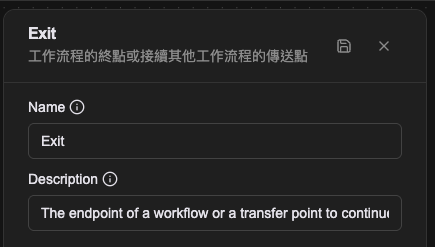
Name
The name shown on the canvas, used to identify this processor within the workflow.
Description
Explains what this processor is for, making the workflow easier to read.
Its shape in the Workflow CRD
Like Entry, Exit is not a member of spec.processors but its own top-level field, spec.exits, which is why it appears in no processor type list.
spec:
  entries:
    - name: entry-main
      handlingProcessor: proc-query
  exits: []
  processors:
    - name: proc-query
      type: query-database
A workflow that needs no endpoint can simply write exits: []. Automation Tool workflows usually do, because a Response processor handing back a result is their endpoint and no separate Exit is needed.
Relationships
Incoming connection
Exit has only an incoming connection, receiving execution from the previous processor. Reaching Exit ends the workflow.
Connecting between workflows
At the workflow-set level, an Exit can connect to another workflow's Entry, joining the two.
Examples
A plain workflow endpoint
The simplest structure: after Push Message runs, the workflow ends at Exit.
Chaining workflows
An Exit pointing at another workflow's Entry makes a modular design possible, splitting a complex flow into smaller ones that are easier to reuse and maintain.
Notes
- A workflow does not have to have an Exit.
- Exit is required only when you want to end this workflow and hand over to another Entry; the route is chosen on the Exit itself.
- A workflow can have several Exits for different ending situations.