SQL
The SQL processor connects to a database through a data source you have set up in the project, runs a SQL statement, and stores the result as an array in a variable that later nodes can read.
The statement can carry $1, $2 placeholders; the actual values are set separately under SQL Type Arguments, so you never concatenate values into the SQL string.
Properties
This is the node's property panel. Data Source, SQL and ResultField are required, and show a red outline until they are filled:
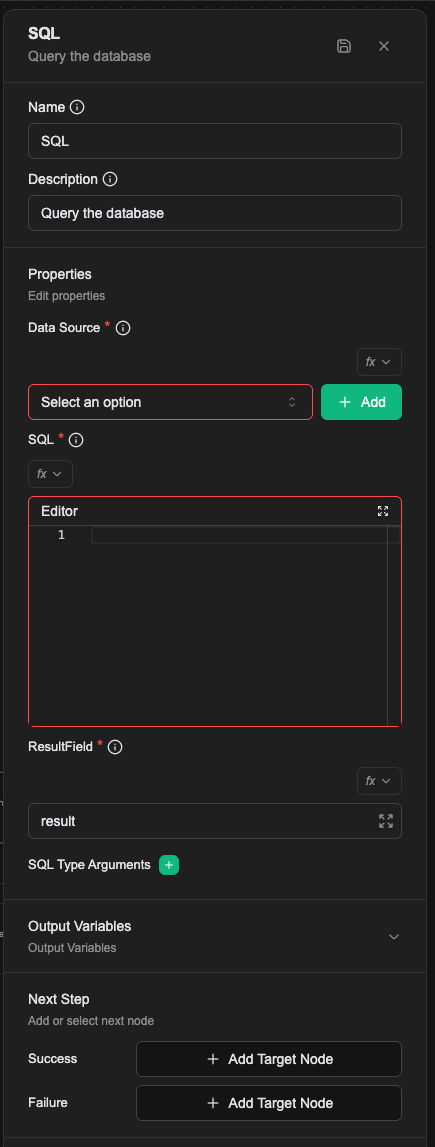
Data Source (required)
The database to connect to, picked from the data sources already created in the project. The Add button beside it jumps straight to creating one. Data sources live under Settings → Data Source and support PostgreSQL, MySQL, Microsoft SQL Server, Oracle, Trino, Athena, SAP HANA, Salesforce and NetSuite.
SQL (required)
The statement to run, written in a code editor. Use $1, $2 placeholders for parameters and set their values under SQL Type Arguments below.
ResultField (required)
Which variable the result is stored in; result by default. The result is always an array, even for a single row.
SQL Type Arguments
The actual values behind the placeholders in your SQL. The section starts empty; the green + adds one pair, each pair being a Type and a Value:
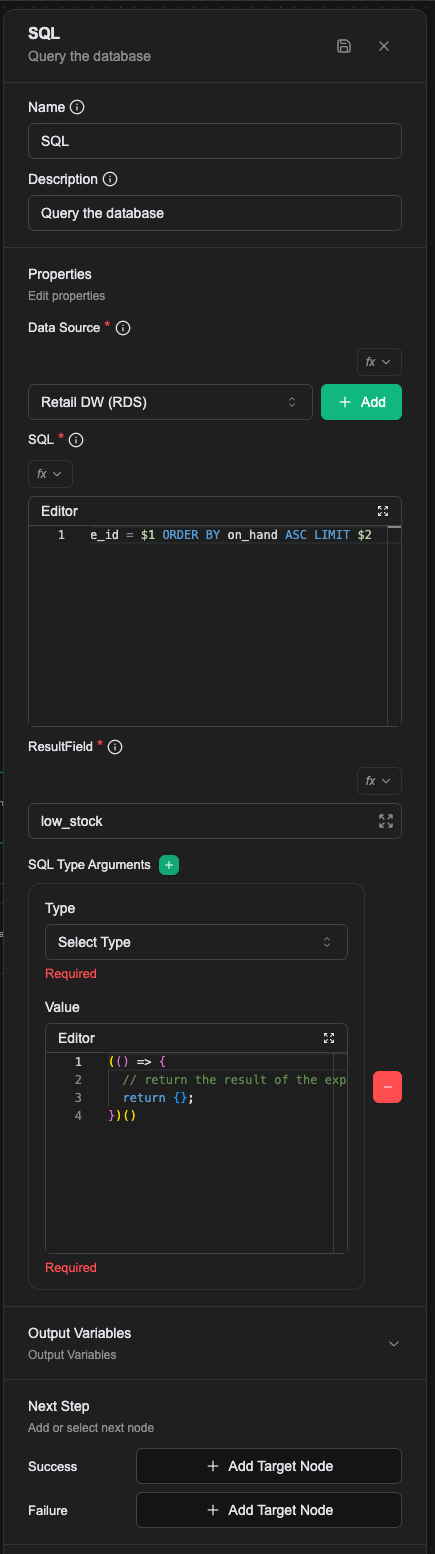
Type is a dropdown with four options:
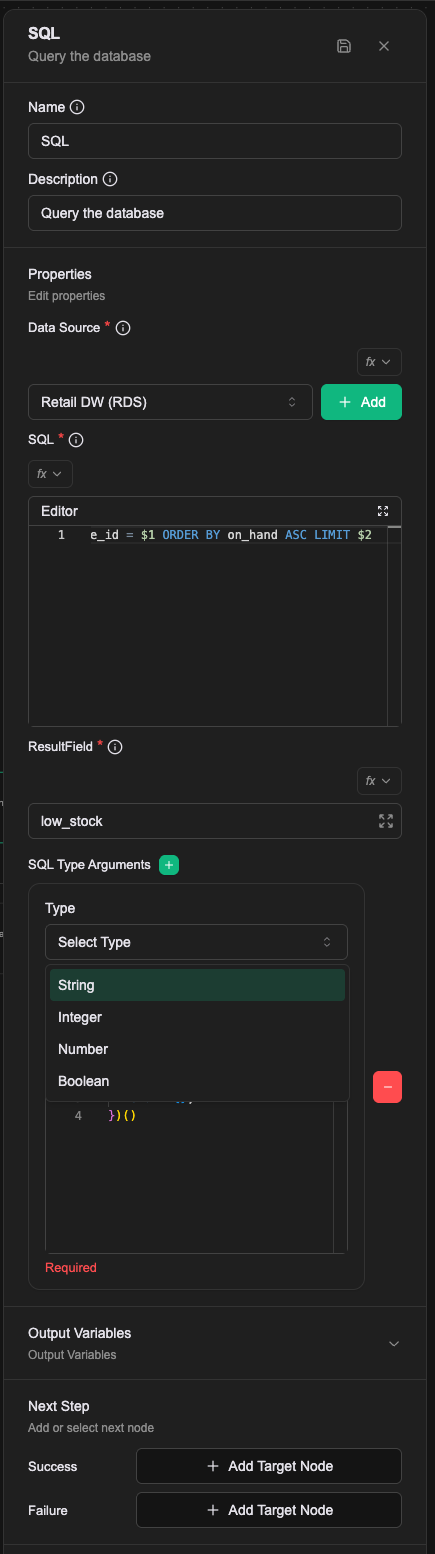
Value is an editor, in Expression mode by default; the fx control at its top left switches how the value is read. See Expression introduction.
Arguments map in the order you add them: the first pair is $1, the second is $2, and so on.
A worked example
Find the lowest-stock items in one store. $1 is the store code (a string) and $2 is how many rows to return (an integer), so the two arguments use different Type values.
The panel once it is filled in:
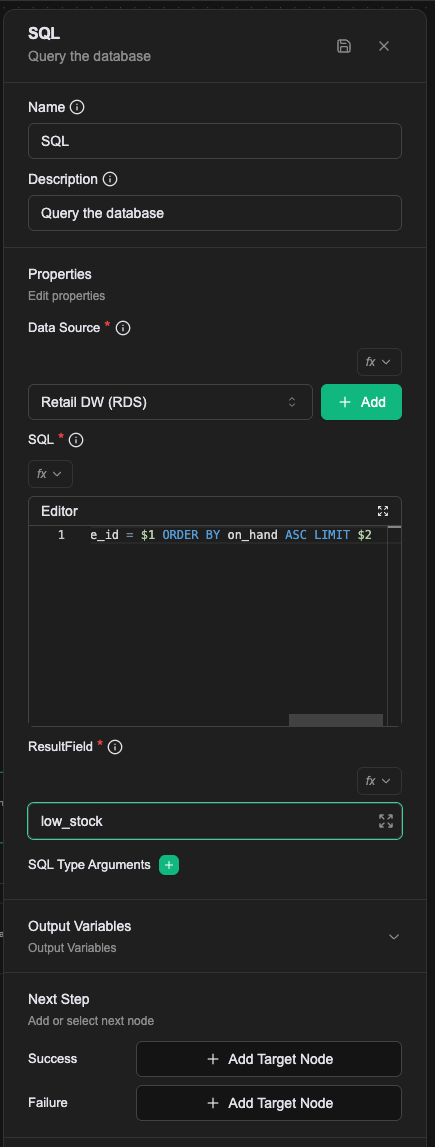
| Field | Value |
|---|---|
| Data Source | Retail DW (RDS) |
| SQL | SELECT sku, sku_name, on_hand, safety_stock FROM retail_dw.pos_store_inventory WHERE store_id = $1 ORDER BY on_hand ASC LIMIT $2 |
| ResultField | low_stock |
| Argument 1 | Type String, Value S-001 |
| Argument 2 | Type Integer, Value 5 |
After it runs, low_stock holds these five rows:
| sku | sku_name | on_hand | safety_stock |
|---|---|---|---|
| SKU-8801 | 聯名鈦保溫瓶 500ml | 6 | 40 |
| SKU-1227 | 經典陶瓷馬克杯 350ml 森綠 | 16 | 12 |
| SKU-1241 | 矽膠料理鏟 二入 象牙白 | 19 | 12 |
| SKU-1000 | 方格筆記本 A6 黑 | 20 | 16 |
| SKU-1067 | 不鏽鋼瀝水籃 16cm 象牙白 | 21 | 12 |
A later node reads the array as low_stock — for example a Router testing low_stock.length > 0 to decide whether to raise a restock notice.
Writing the CRD directly
What you set on the canvas is saved as a list of config keys in the Workflow CRD. Data Source, SQL and ResultField are one key each; the SQL Type Arguments section becomes two keys per argument, numbered from 1:
- name: dataConnector
  value: retail-dw-rds
- name: sql
  value: |
    SELECT sku, sku_name, on_hand, safety_stock
    FROM retail_dw.pos_store_inventory
    WHERE store_id = $1
    ORDER BY on_hand ASC
    LIMIT $2
- name: resultField
  value: low_stock
- name: sql.args.1.type
  value: string
- name: sql.args.1.value
  value: S-001
- name: sql.args.2.type
  value: integer
- name: sql.args.2.value
  value: "5"
There is no limit on the number of arguments, but the numbering has to be contiguous and every index needs both its type and its value. The processor scans upwards from 1 and stops at the first gap, or at the first index missing a type or a value. Everything past that point is dropped, without an error. Number them 1 and 3 and the third argument simply does not exist.
Relationships
Success
Taken when the query succeeds. The result is stored in the variable named by ResultField and later nodes can read it directly.
Failure
Taken when the query fails, with the details in prevError. A failed connection, a SQL syntax error and a parameter whose type does not match all land here, so this branch is worth wiring.
Read-only, not read-write
Before running, the platform parses your SQL to confirm it is a read-only query. If it is not, the statement is never executed: the node goes to Failure with SQL query is not a read-only query.
So UPDATE, INSERT and DELETE do not work on this processor. The switch that lifts the restriction (allowWrite) is not on the property panel and is not something a workflow author sets; it is configured on the platform side. The same set includes a table allow-list (allowedTables): with it set, a query touching a table outside the list goes to Failure with SQL query references unauthorized tables.
Notes
- This processor does not paginate and does not cap the row count; however many rows the SQL returns are what lands in the variable. Add your own
LIMITon large tables. - A wrong
Typeon an argument is not caught when you save. It fails at run time, on the Failure branch. - If the database restricts access by IP, add the Asgard platform's source addresses to its allow-list. See VPN allow-list IPs.