JSON Schema
What is JSON Schema?
For the basic concepts, the syntax rules and what JSON Schema is used for, see the official documentation: What is a schema.
Editing a schema in the JSON Editor
Besides editing in standard JSON syntax, Asgard offers a graphical editor so that you can edit a Schema-format JSON document in a more intuitive way.
Opening the editor
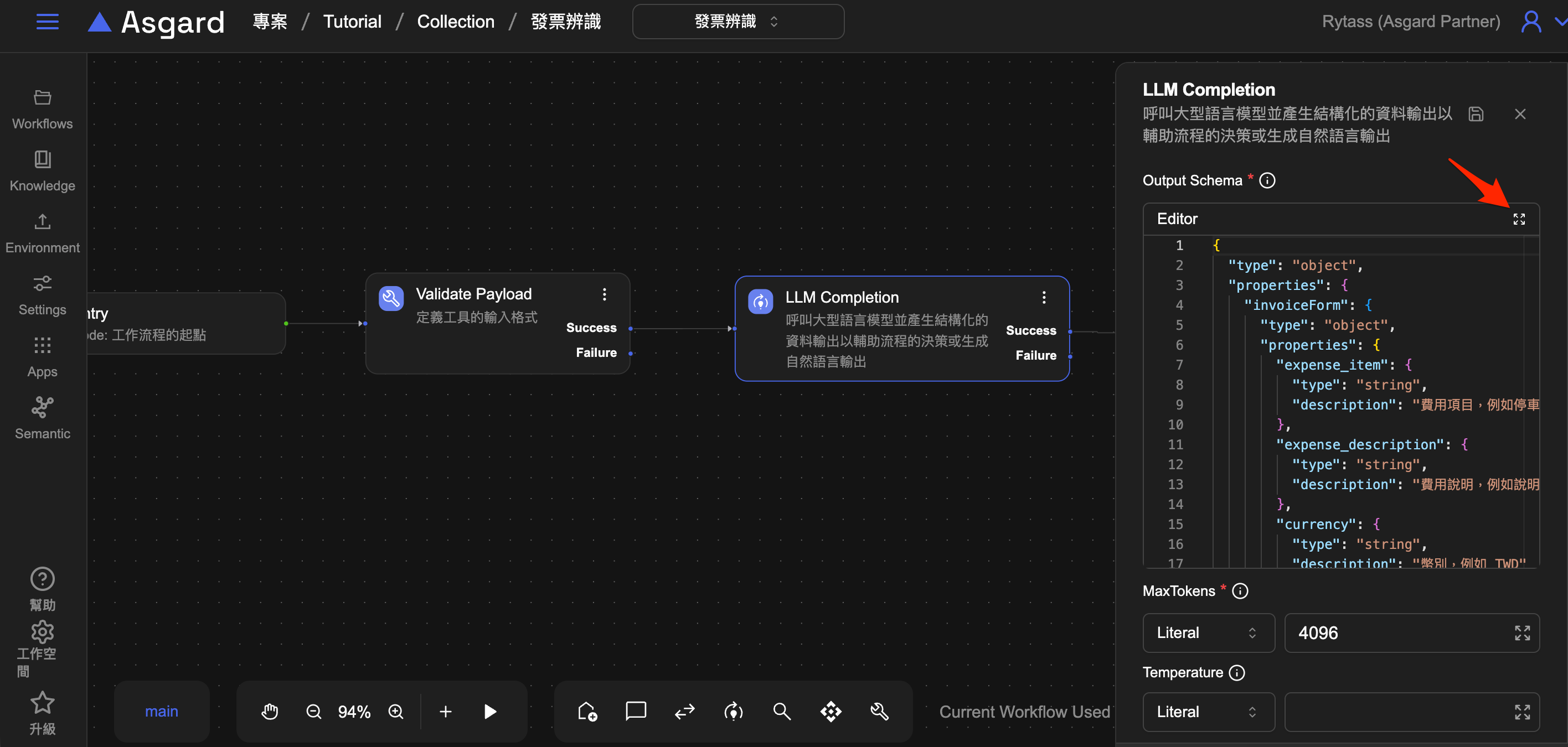
- In a processor that has a Schema property, click the expand icon at the top right of the editor, shown below
- The expand icon opens an editing window, where you can switch between Schema and JSON mode
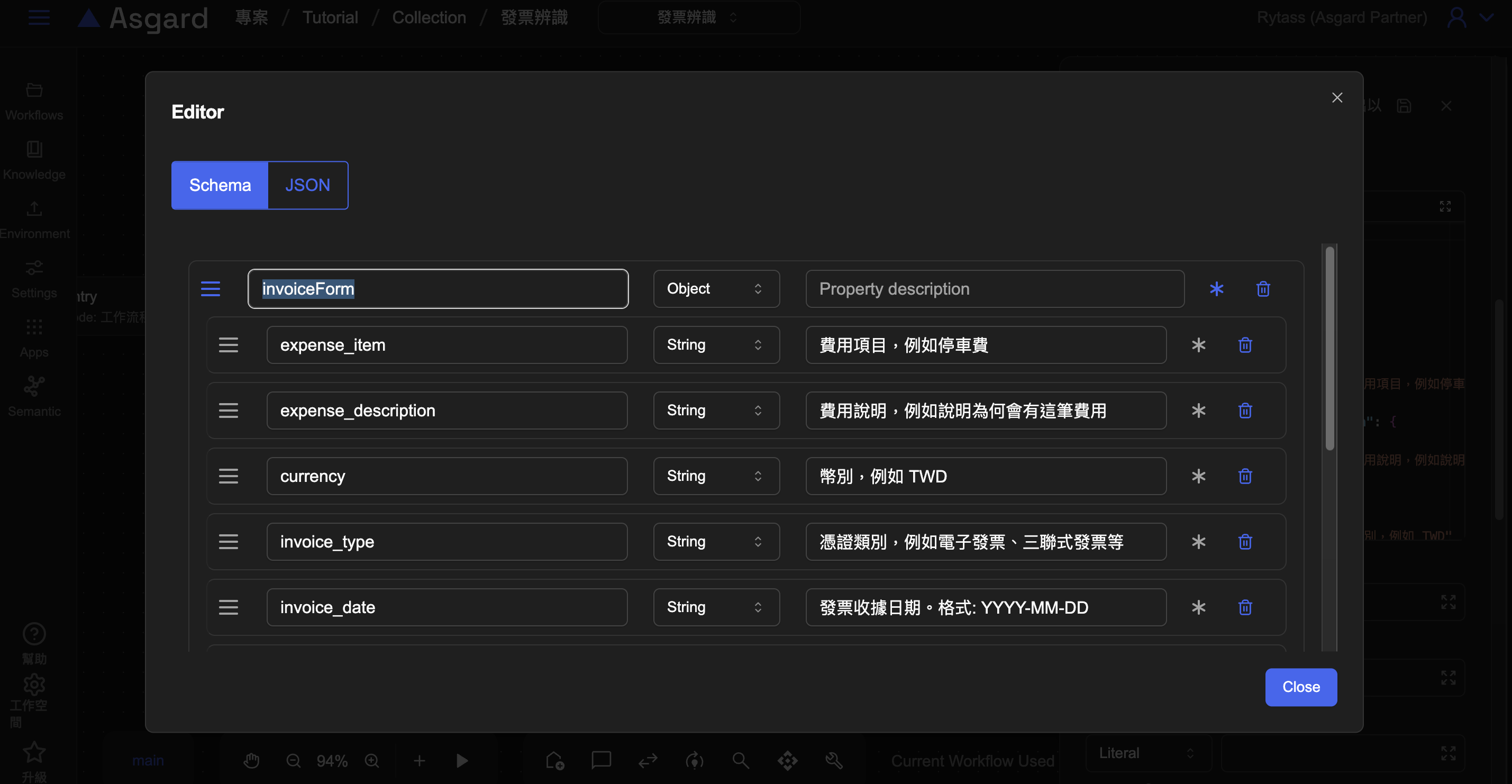
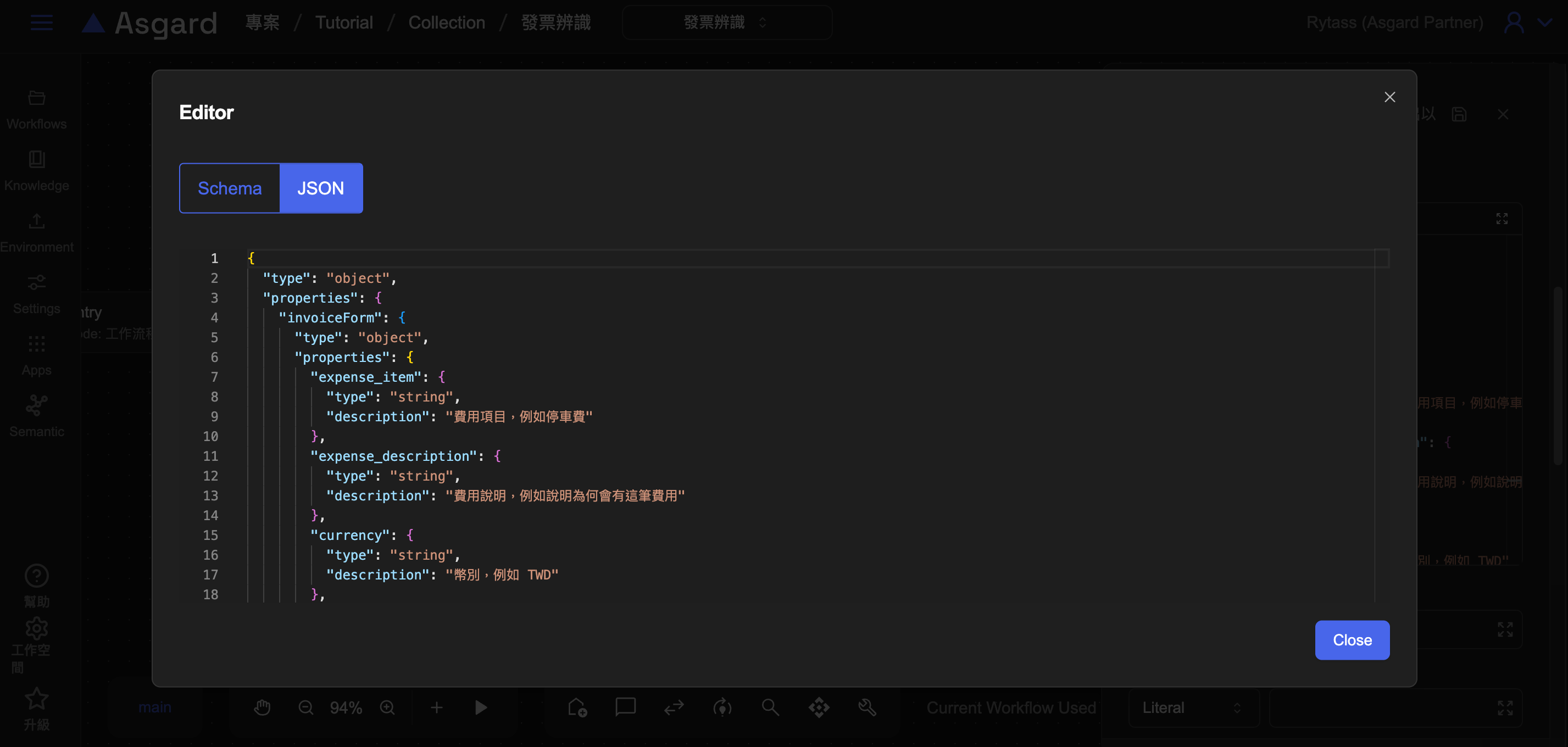
- Edit in whichever mode you prefer. Both directions preview live, so you can see the result as you go
Editing in Schema mode
In Schema mode, you can do the following.
Adding a property
- Click Add Property
- Type the property name you want
- Choose the property's type
- Type the property description, and the property is added
warning
This editor only edits. When you have finished, click Save on the processor settings page, or the change is not written to the system.
Marking a field as required
- Find the * button to the right of the field
- Clicking it marks the field as required, and clicking again undoes it
- The result appears immediately in the JSON preview on the right
Deleting a property
- Find the bin icon to the right of the property you want to remove
- Click it and the property is deleted