Billing Reports
Billing Reports finds the bills for a period you choose, and lets you open one or download its invoice.
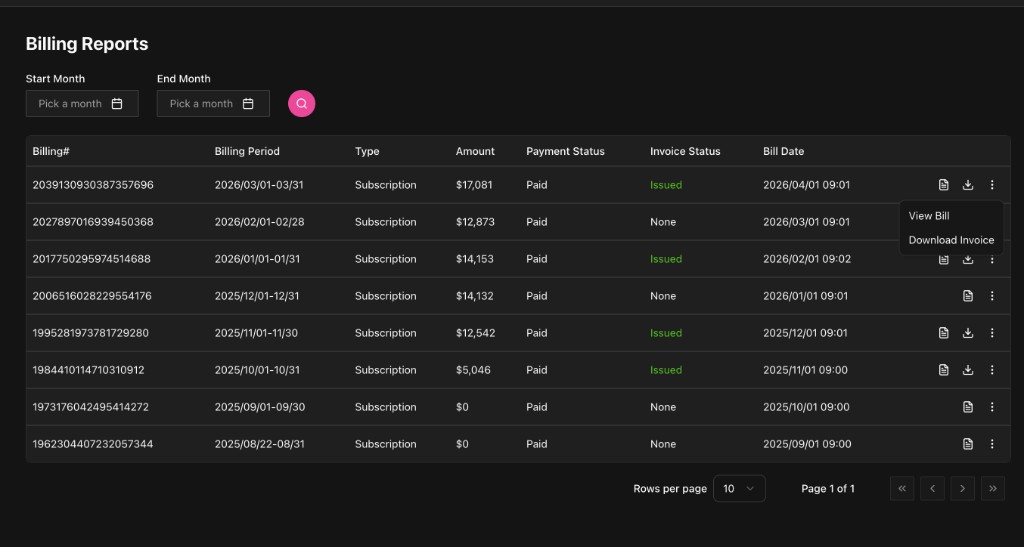
Searching the list
At the top of the list page you choose the period to search, with Start Month and End Month, and the search button refreshes the result.
The usual columns:
- Billing#: the bill number
- Billing Period: the period the bill covers
- Type: the kind of bill, for example Subscription
- Amount
- Payment Status
- Invoice Status, for example Issued
- Bill Date: when it was issued
Each row has an action menu, with:
- View Bill
- Download Invoice
Viewing a bill
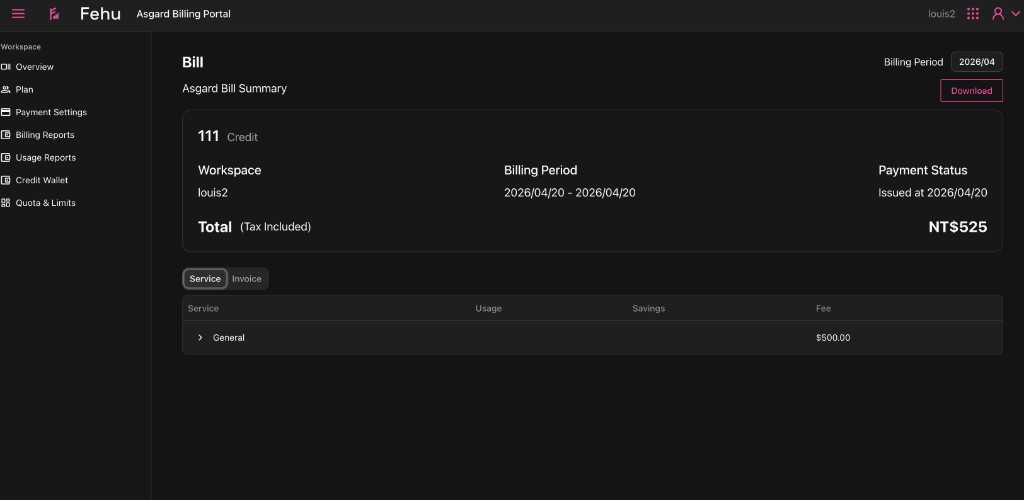
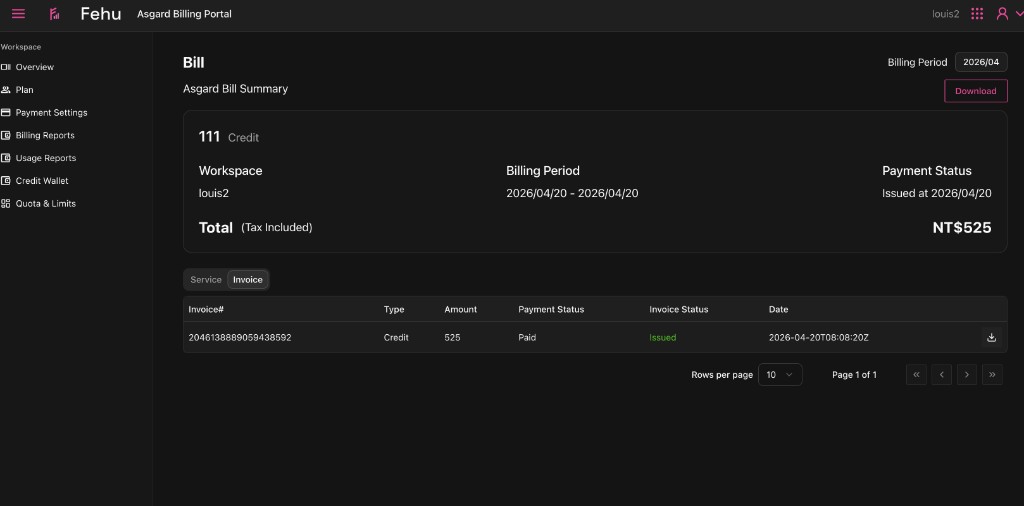
Opening a bill shows a summary: the workspace, the period, the total and the payment status.
- Service: what the bill is made of, listed by service and item.
- Invoice: the invoice details and where to download it, once one has been issued for that period.
Next
- To analyse usage by month and service, go to Usage Reports.
- To see cost trends and the breakdown first, go to Overview.