Plan
Plan is where you see the subscription you are on, switch to a different one, and add other products if your account allows it.
Current Plan
Current Plan shows the plan you are using and how it is charged, for example Pay as You Go or a monthly plan; what appears depends on your account.
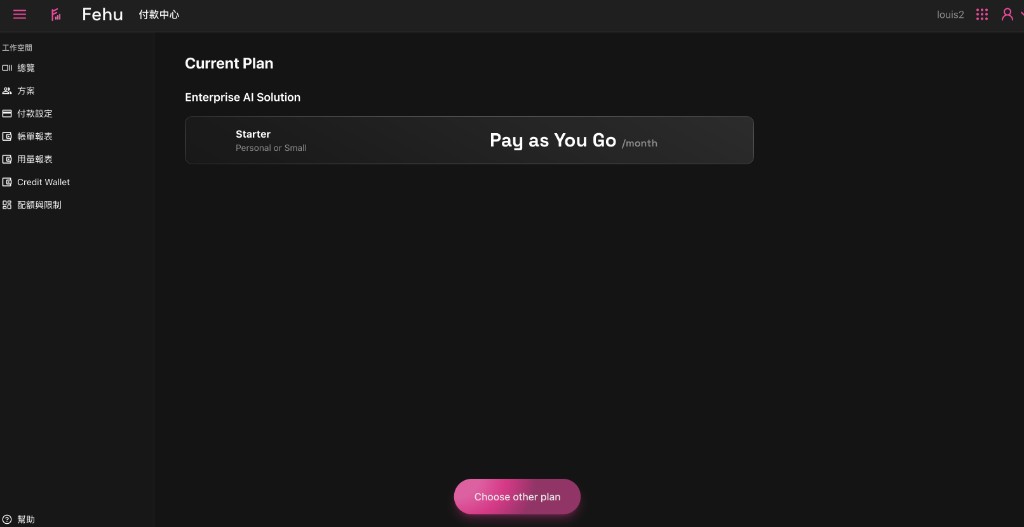
- Choose other plan: opens the plan selection page, where you pick or change a plan.
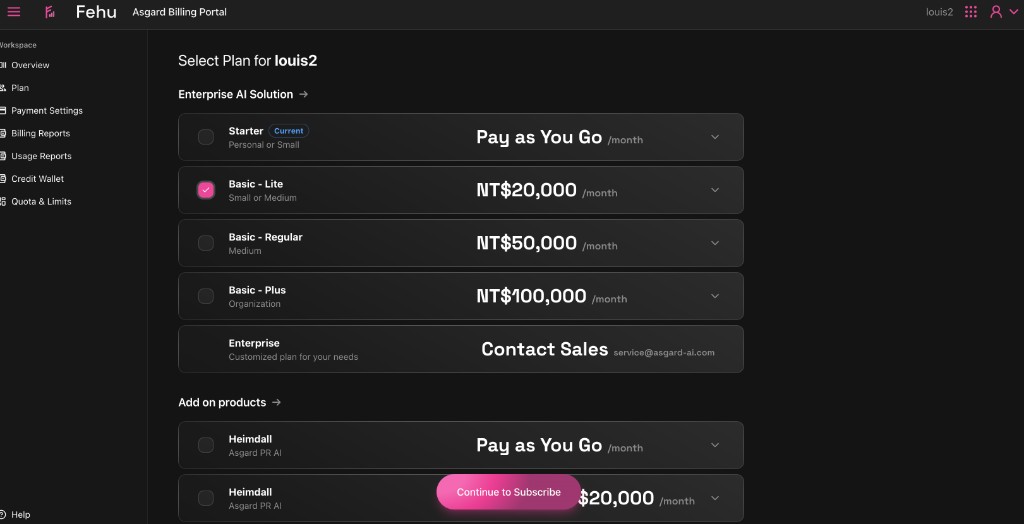
Select Plan
Select Plan lists the plans available to you, usually with:
- The tier (Starter, Basic, Enterprise and so on)
- The price (monthly or otherwise)
- An expander on the right, which may show the details of the plan
- Add on products, if there are products you can add
Once you have chosen, follow what the page asks, such as Continue to Subscribe, to complete the subscription or the change.
Worth knowing
- Which plans you can choose, and their prices and names, differ by workspace and by contract, so treat what you see on the page as authoritative.
- Changing plan can affect how later bills are calculated. If you are unsure, check the details of the plan before you submit.